
GOODFRIENDS / GAME INTEGRATION
From casino game integration to game visibility and betting history management
GoodFriends organizes content from integrated game providers into three categories (casino, slots and sports) and delivers it to your player site. In the operator admin, you set provider visibility, display order and active categories for each site, and review betting history and partner settlement status.
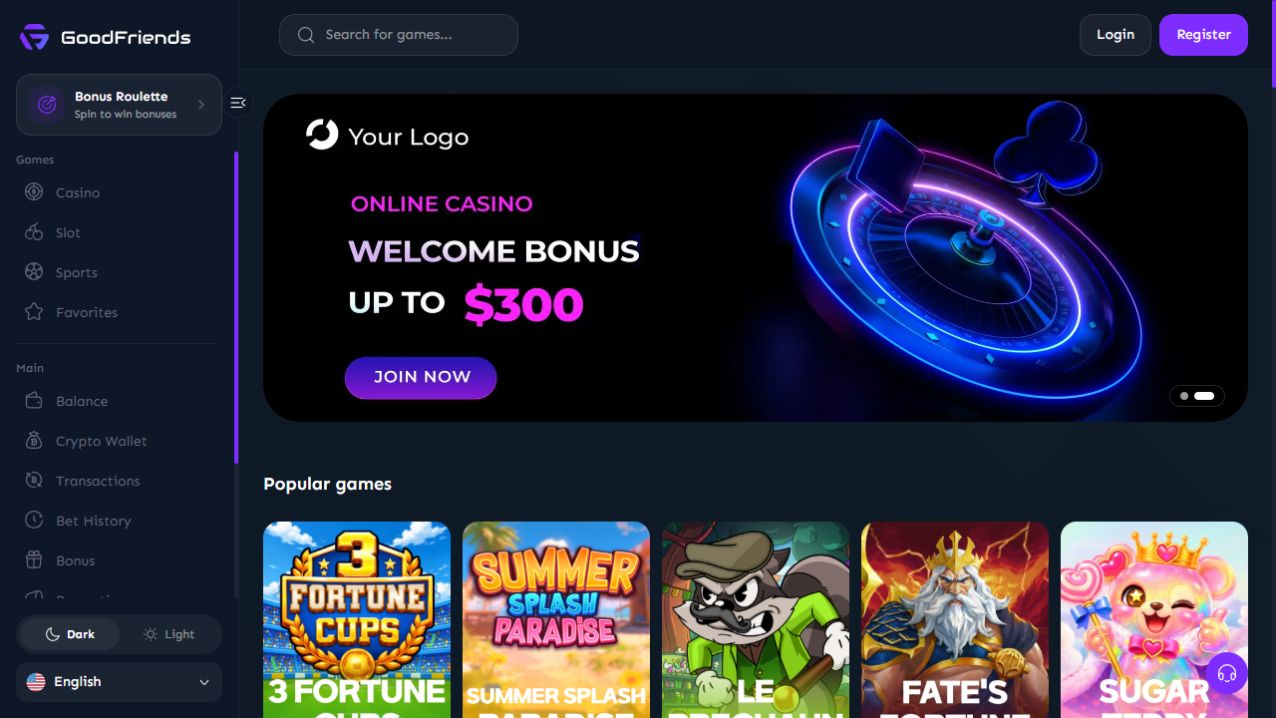
Three game categories: casino, slots and sports
Every game falls into one of three categories: casino, slots or sports. With a simple classification, players find the games they want quickly, and operators manage visibility and settlement on the same basis.
The games actually offered depend on the content of the integrated game providers. We work out the categories, game lineup and preparation steps with you during a consultation.
Casino and live casino
The casino category offers live dealer games along with table games such as baccarat, blackjack and roulette, and game shows. Players can browse them by game type.
Slots
Slot games are presented in provider lists and individual game cards, so players can choose games by their thumbnails.
Sports
The sports category offers integrated sports betting products. Pre-match and live availability, and subtypes such as live sports and esports, are shown according to the integrated content.
Per-site game category and visibility settings
In the operator admin, you can switch game providers on or off for each site and set the order in which they appear to players. Place key providers first to build a game lineup that suits your operations.
You can also enable or disable whole categories. Games in switched-off categories and from switched-off providers are not only hidden from view but also blocked from launching, so the setup you choose stays in place.
Turn providers on or off
Choose which game providers to show on each site to build a lineup that suits your operations.
Display order
Set the display order for each site so the providers you want to feature appear first.
Category settings
Keep only the categories you want to operate switched on.
A different setup for each site
Even with multiple sites, you can set a different provider and category setup for each one.
Game lobby: game-type filters, search and popularity sorting
Players can easily find the games they want using provider lists, game-type filters, search, popular games and favorites.
Game lists can be sorted by popularity or by newest.
Game-type filters
Narrow down games by type, such as live, baccarat or roulette in the casino category, or live sports and esports in the sports category.
Game search
Search by game name to find a game right away.
Sort by popularity or newest
Sort to see popular games or newly added games first.
Favorites
Save frequently played games to favorites to find them again.
Thumbnail cards
Games are arranged as thumbnail cards that adapt to desktop and mobile screens.
Rolling progress and partner rates by game category
Bets on integrated games are separated into casino, slots and sports, and the same basis applies to players’ rolling progress and partner rate calculations.
On the operator admin’s partner settlement screen, you can expand total bets, revenue, and rolling and losing payouts at each level of the hierarchy, along with parent and sub-partner rates. Partner rate settings and settlement methods are explained in detail on the partner settlement page.
Rolling progress by category
Players can check the rolling progress of each deposit by category.
Applying rates by category
Each partner’s rolling and losing rates are set by game category, and a sub-partner’s rate cannot exceed its parent partner’s rate.
Betting history for operators, partners and players
In the operator admin’s betting details menu, you can look up your site’s betting records. Partners and players also see the betting history relevant to them on their own screens.
Operator admin
Look up site betting records in the betting details menu, and check deposit and withdrawal, player and partner transactions as well.
Partner portal
Partners can check the betting and transaction history of their players on the partner portal.
Player My Page
Players check their own betting history and deposit, withdrawal and transaction history on My Page.
FAQ
Can live casino and slot games be integrated?
Yes. Games are offered in three categories: casino, slots and sports. Live casino is a game type within the casino category, available alongside baccarat, blackjack, roulette and more. The games actually offered depend on the content of the integrated game providers, and we explain the details during a consultation.
How do I prepare for casino game API integration?
We explain the available game lineup and preparation steps during a consultation. After your site launches, you can set the providers to show, their order and the categories to operate for each site in the operator admin.
How much does casino game integration cost?
We explain costs in a consultation after reviewing the categories, game lineup and integration scope you plan to operate. Tell us your preferred setup on Telegram, and we will outline it together with the preparation steps.
Can a sportsbook be integrated?
Yes. The sports category offers integrated sports betting products, and coverage such as pre-match and live betting depends on the integrated product. Rather than managing odds in-house, the solution offers integrated products, and we explain the detailed scope during a consultation.
Let’s plan your game lineup together.
Tell us the categories and game lineup you want on Telegram, and we will explain the integration scope and preparation steps.
Contact us